Day 12 - Task: Deep Dive in Git & GitHub for DevOps Engineers

👋 Hey there! I'm Gayatri, I have completed a degree in Computer Engineering. I am extensively involved in the fields of DevOps and Cloud computing.
🔹What is Git and why is it important?
Git is a distributed version control system that allows multiple developers to work on a project simultaneously without overwriting each other's changes. It helps track changes in source code during software development, enabling collaboration, version control, and efficient management of code changes.
Importance of Git:
Version Control: Keeps track of changes, allowing you to revert to previous versions if needed.
Collaboration: Multiple developers can work on the same project simultaneously.
Branching: Allows you to work on different features or fixes in isolation.
Backup:: Acts as a backup of your codebase.
🔹What is difference Between Main Branch and Master Branch?
Traditionally, master was the default branch name in Git repositories. However, many communities have moved to using main as the default branch name to be more inclusive and avoid potentially offensive terminology.
Main Branch vs. Master Branch:
Main Branch: The new default branch name used in many modern repositories.
Master Branch: The traditional default branch name used in older repositories.
The traditional default branch name used in older repositories.
🔹Can you explain the difference between Git and GitHub?
Git is a version control system, while GitHub is a web-based platform that uses Git for version control and adds collaboration features like pull requests, issue tracking, and project management.
Git:
Command-line tool.
Manages local repositories.
GitHub:
Hosting service for Git repositories.
Adds collaboration tools and user interfaces.
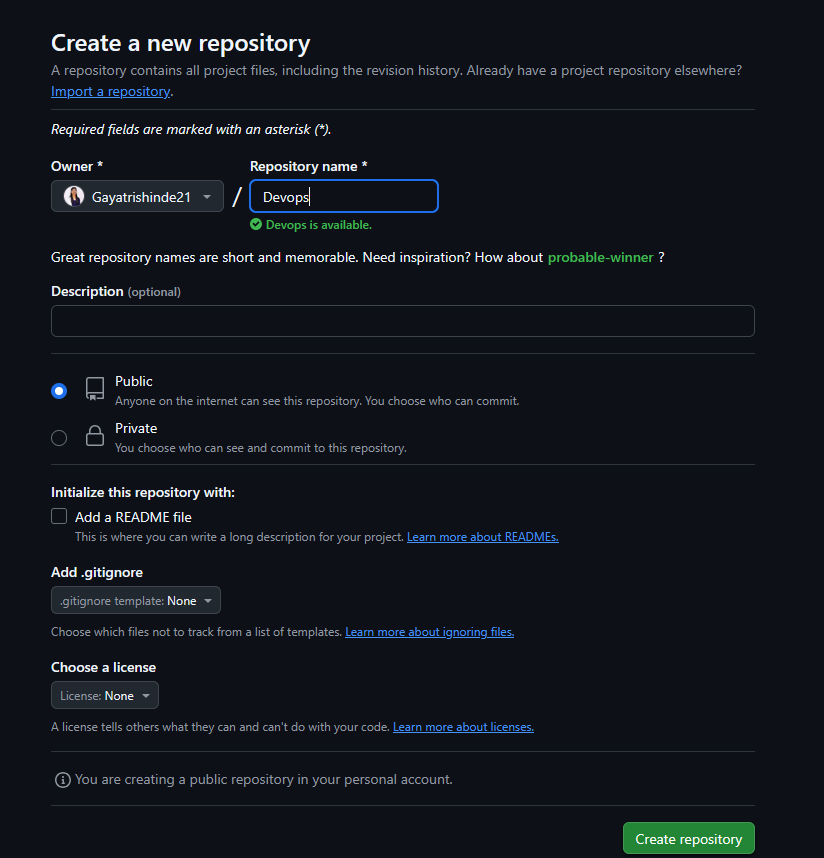
🔹How do you create a new repository on GitHub?
Go to GitHub.
Click on the + icon in the top right corner.
Select New repository.
Enter a repository name (e.g., "DevOps").
Click Create repository.
🔹What is the difference between local & remote repositories? How to connect local to remote?
Local Repository:
Stored on your local machine.
Contains your working directory and Git database.
Remote Repository:
Hosted on a server (e.g., GitHub).
Allows collaboration with other developers.
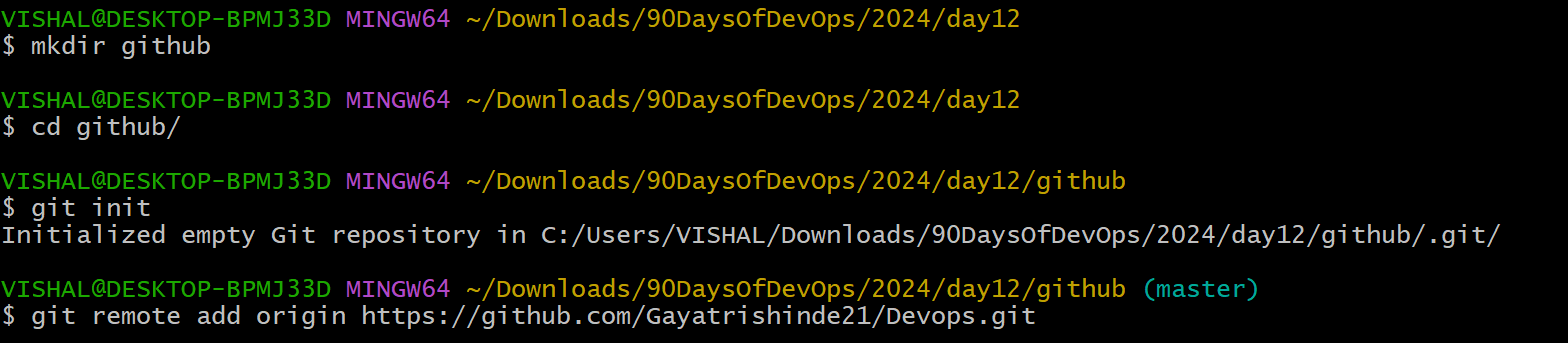
Connecting Local to Remote:
Initialize a local repository:
git initAdd a remote:
git remote add origin <remote_repository_URL>
🔹Task-1:
Set your user name and email address, which will be associated with your commits.
  git config --global user.email "youremail@example.com"
  git config --global user.name "Your Name"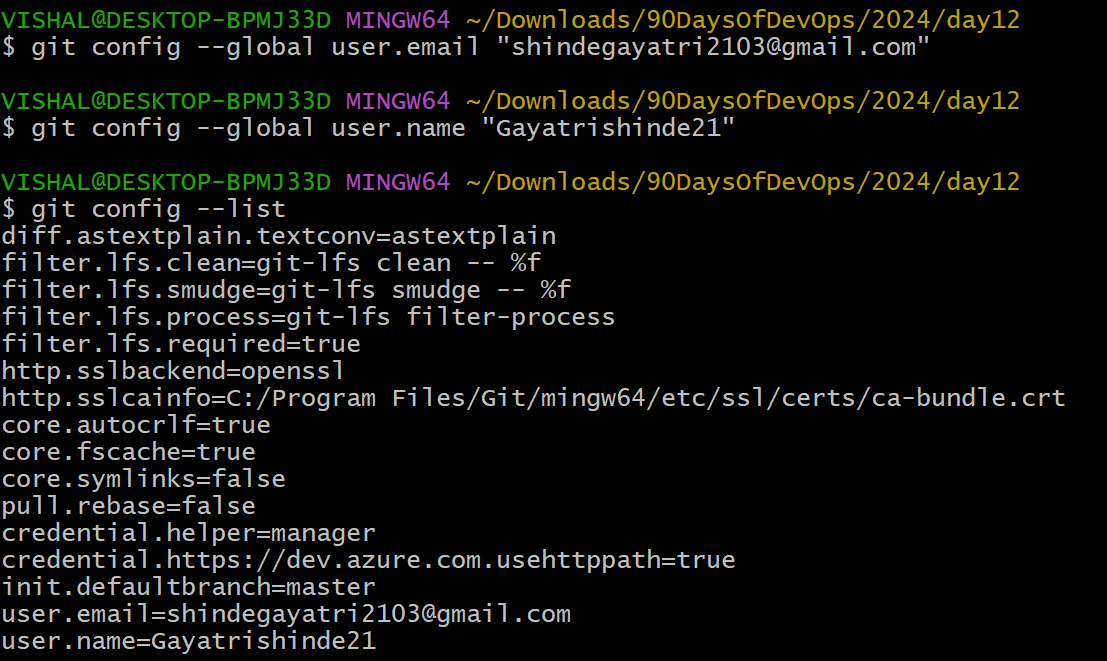
🔹Task-2:
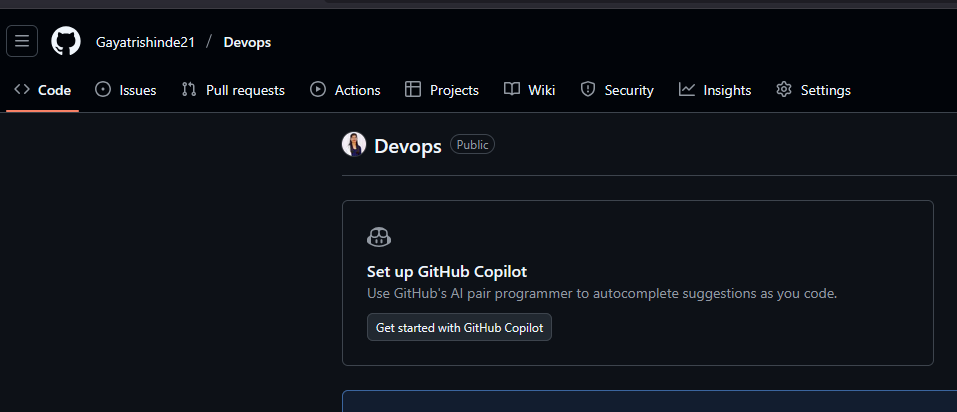
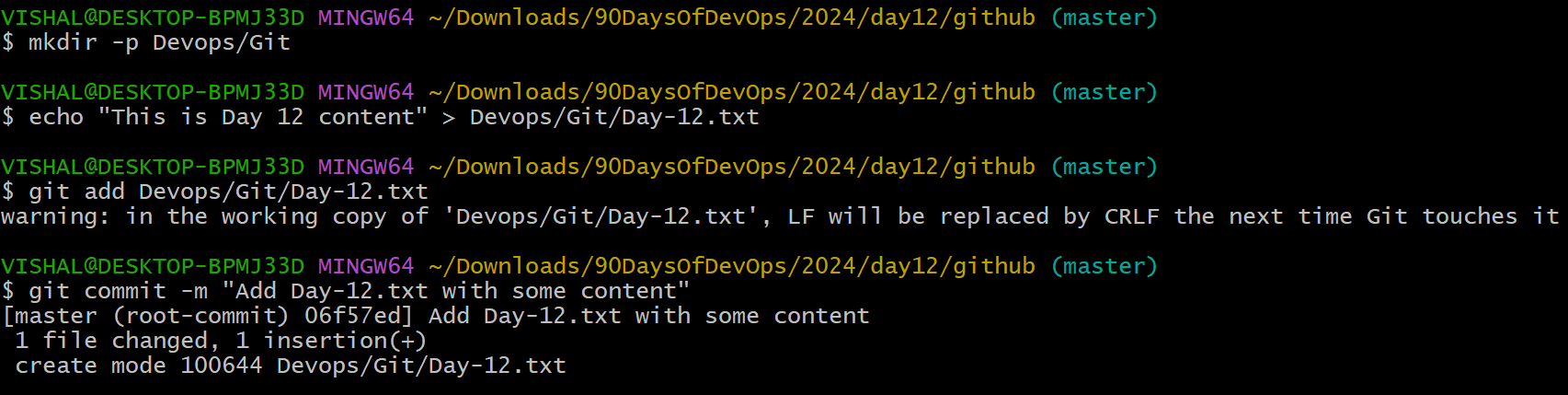
- Create a repository named "Devops" on GitHub
- Connect your local repository to the repository on GitHub.
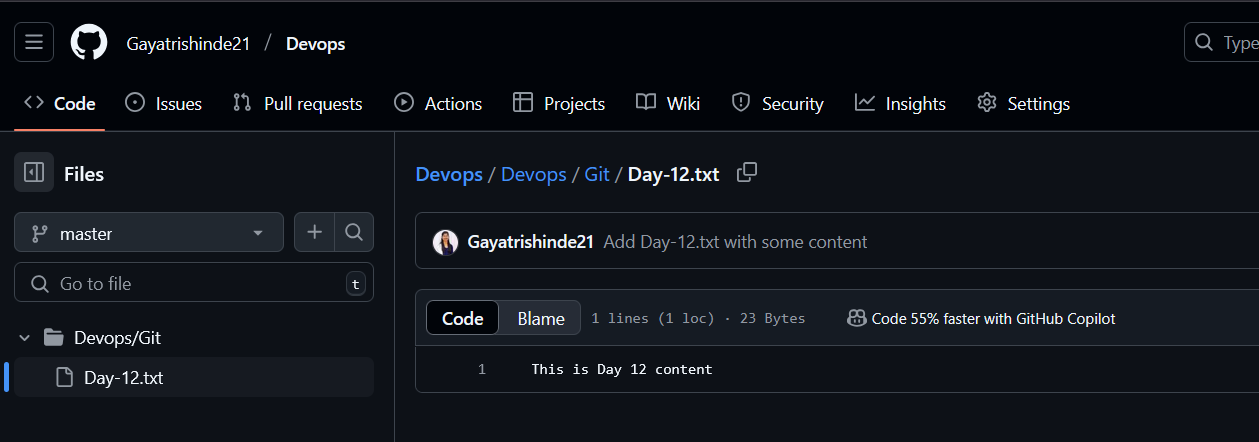
- Create a new file in Devops/Git/Day-02.txt & add some content to it
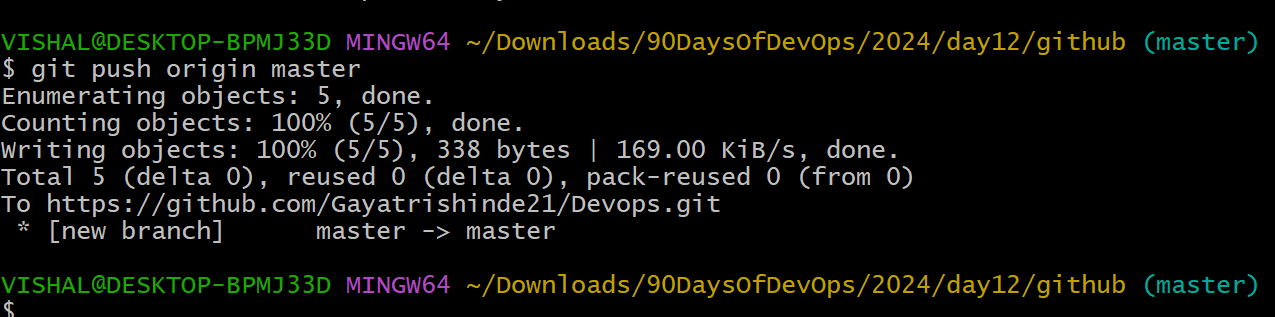
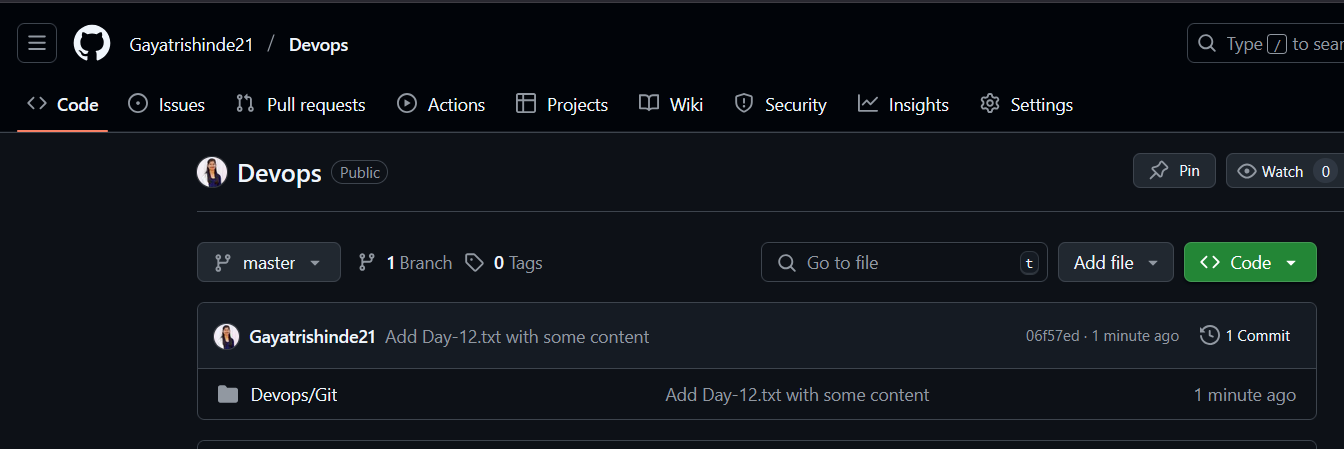
- Push your local commits to the repository on GitHub
Thank you for Reading:)


